
Expert tools in the Page Builder
If you are familiar with HTML, CSS and perhaps JavaScript, the Page Builder gives you a number of options for creating content to suit your needs.
Custom CSS for individual elements
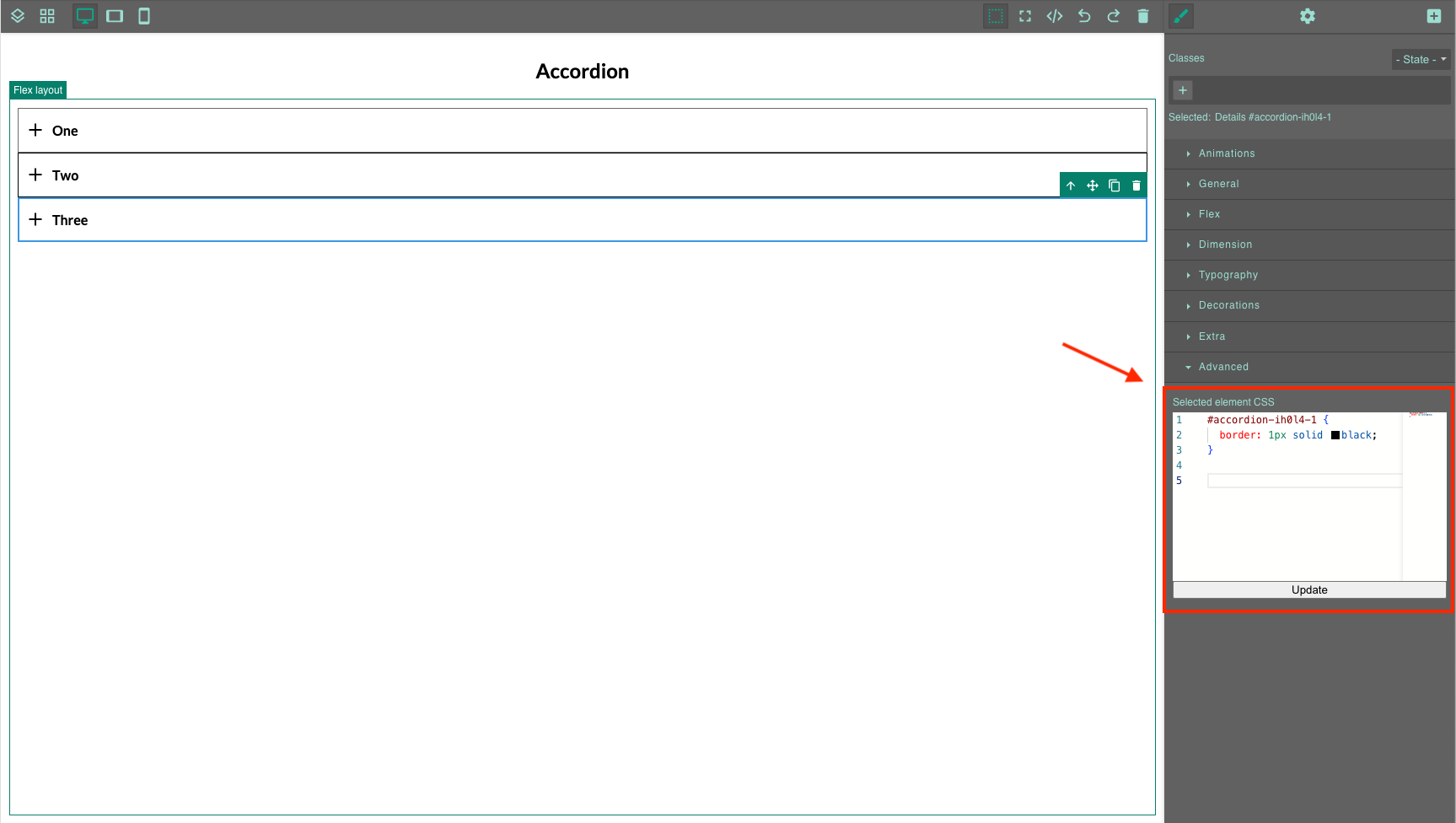
You can use CSS to add your own style to each module and its selectable sub-elements.
You can find this option in the design settings (the brush icon on the right side of the toolbar) of the selected block. Within the code editor, you can define CSS rules for the selected element via id, as well as rules for CSS classes, to define the appearance for a specific block type, for example.
Modifying HTML code within the text module
The text module also has a code editor. You can open it via the code icon and further modify the HTML generated by the text editor.
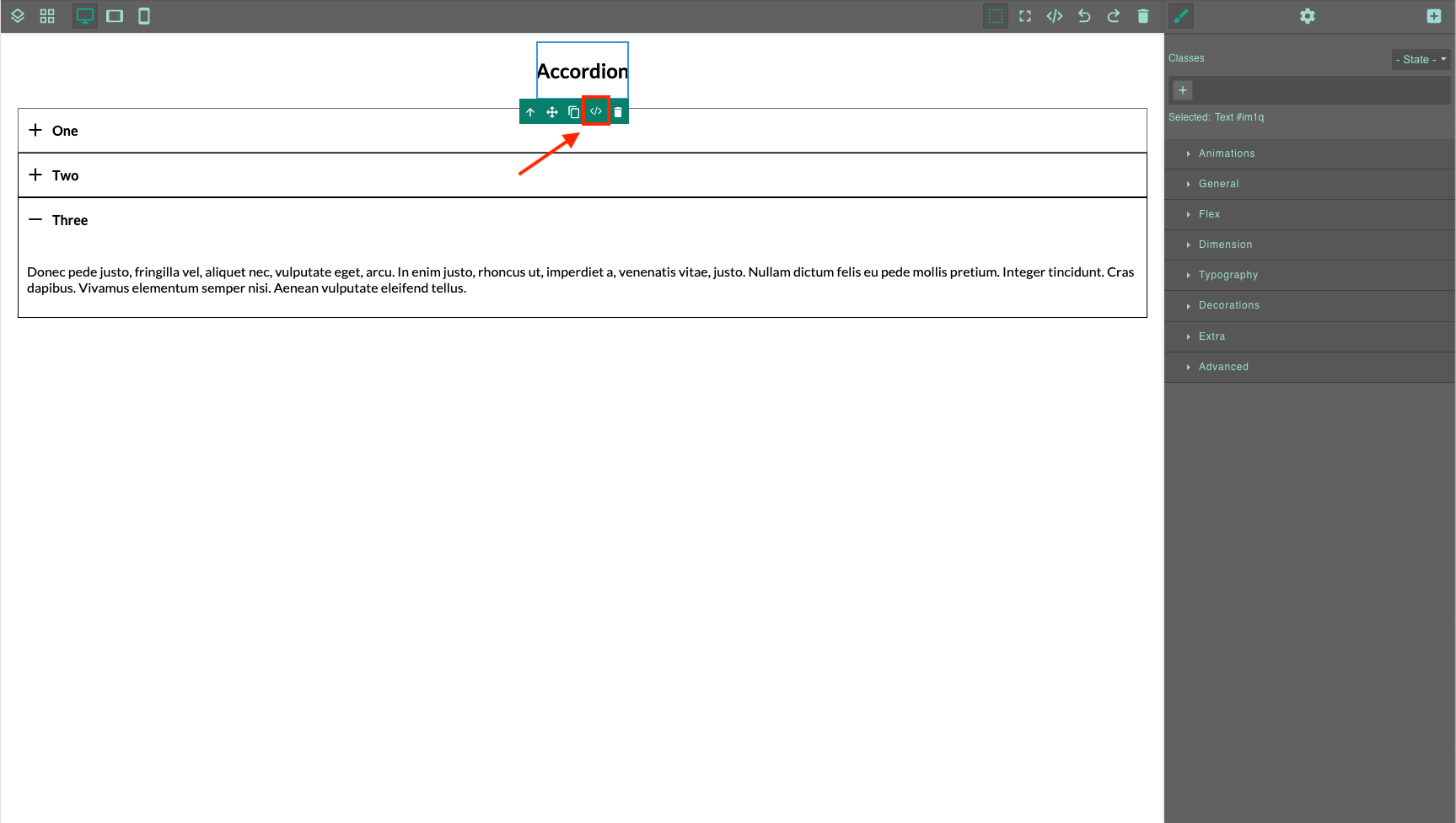
Note that only HTML tags that are available as options in the text editor will be accepted, and script tags will not be accepted in this editor.

HTML block
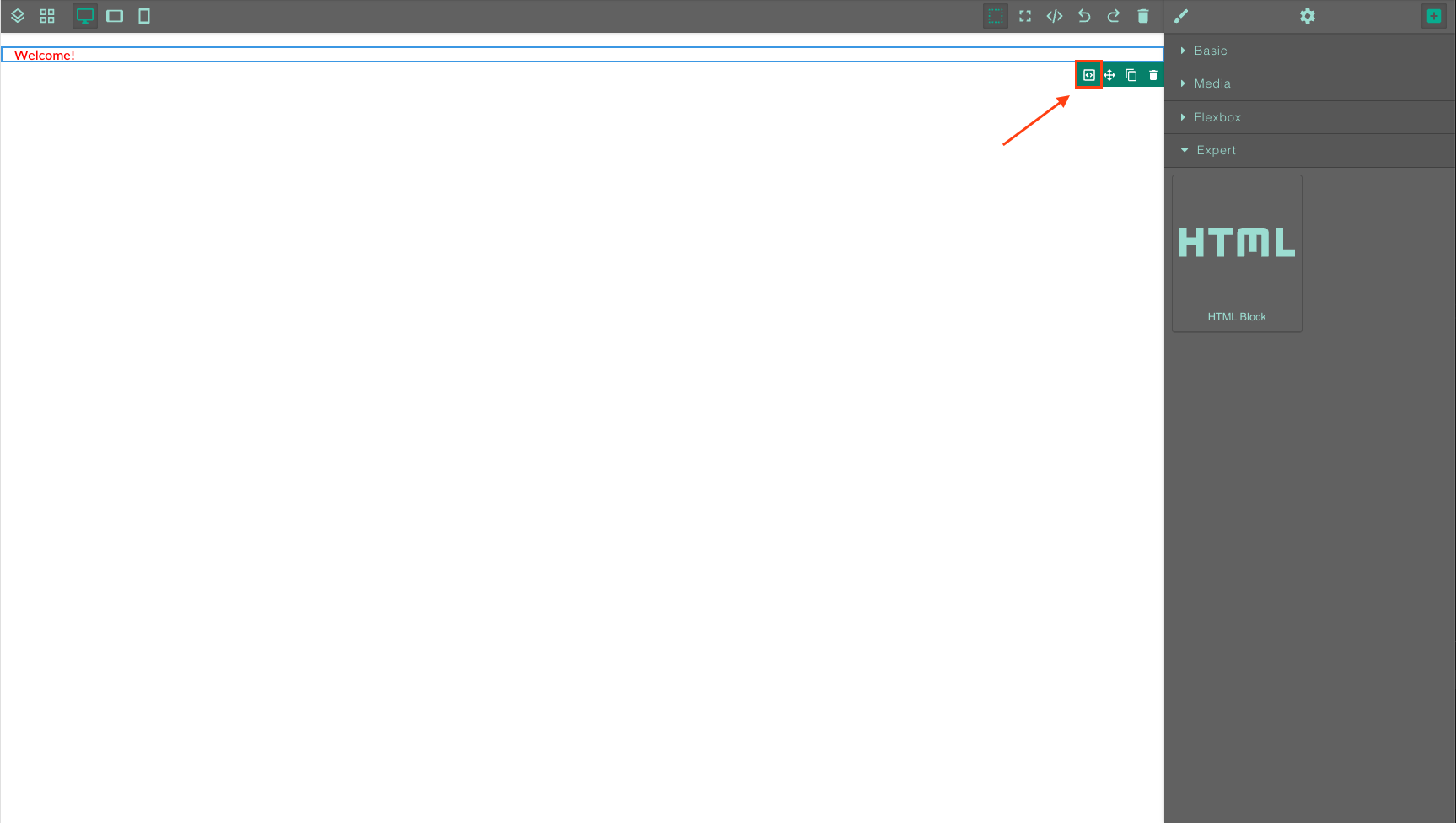
You can drag this block to the desired position on the slide just like any other block type. Click the code icon to open the code editor.
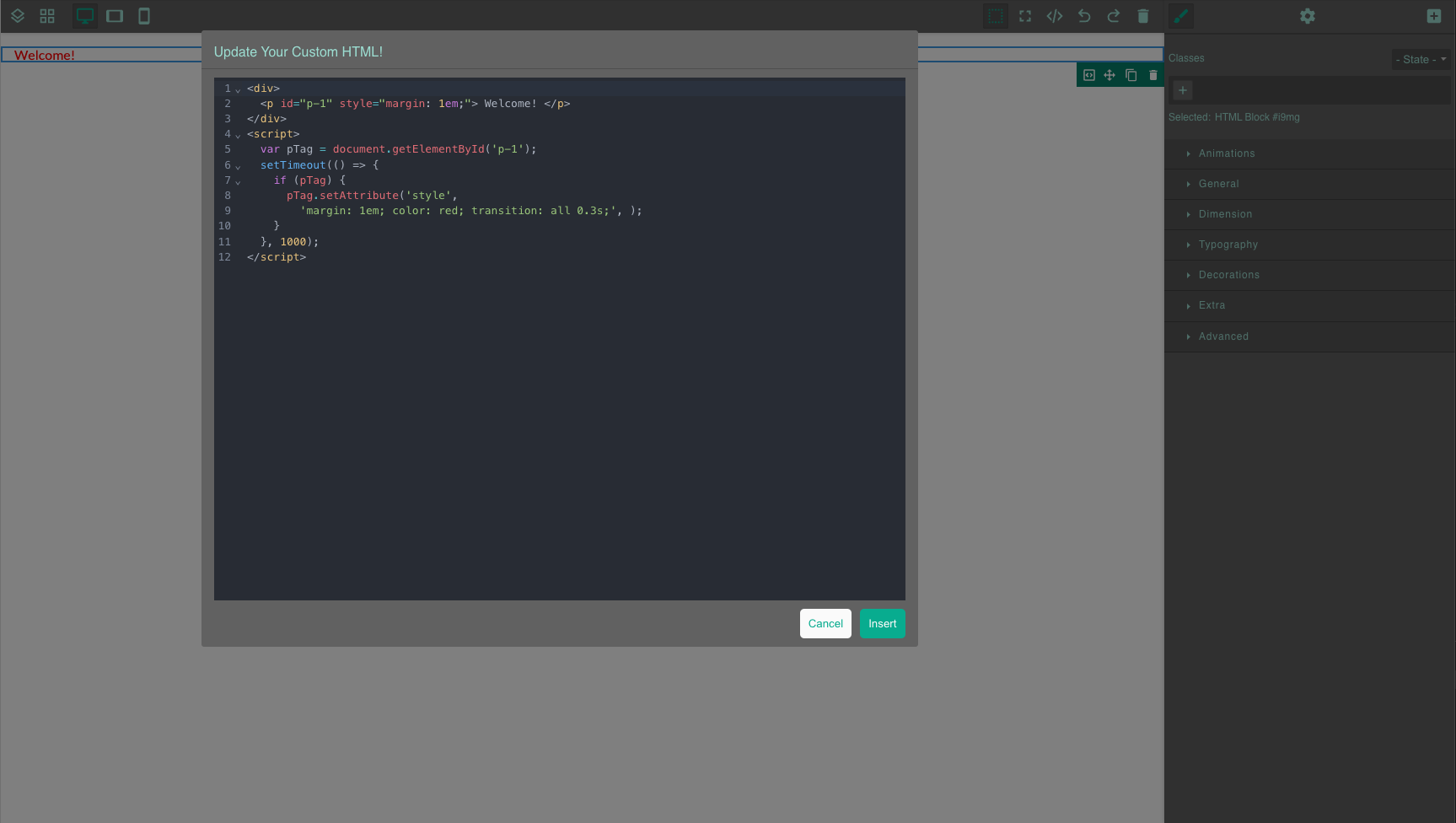
Here you can now insert your own HTML code, inline CSS styles and your own JavaScript within a script tag. The scope for the JavaScript code is the HTML block itself.
Please note that certain accesses to window and document are not allowed for security reasons.
Button module with custom JavaScript
Unlike the link button, this module has no predefined functionality. You can enter a script that is executed when the button is clicked.